
WUK | Windows Update Killer by KNYGHTHAX
Stop Windows updates forever. Free. No bullshit.
Why We Made This
Windows updates are annoying. Everyone knows it. You're working, gaming, streaming, whatever and suddenly your PC starts lagging because Windows decided to download 3GB in the background. Then it nags you to restart. Then it restarts anyway.
We got tired of fighting it. Settings don't stick. Services turn themselves back on. Microsoft built a whole system designed to ignore what you want and force updates through anyway.
So we built WUK one tool that kills it all at once and keeps it dead.
What WUK Actually Does
WUK hits Windows Update from every angle so nothing slips through:
Kills all 5 update services Stops them, disables them, sets them so they can't restart on their own. Even that sneaky "medic" service Microsoft uses to repair Windows Update when you try to break it.
Removes scheduled tasks Windows has hidden tasks that run update scans in the background. WUK finds them and deletes them. No more 3 AM wake-up calls to Microsoft servers.
Blocks Microsoft IPs in firewall Even if a service somehow runs, it can't reach Microsoft. Outbound rules block the actual server IPs and CDN ranges. No connection, no download.
Sinkholes update domains in hosts file 12 Microsoft update domains get pointed to 0.0.0.0. Your PC literally can't resolve where to download from.
Locks the registry Sets group policy keys that tell Windows itself not to check for updates. This is the same method enterprises use, just without needing a domain controller.
Stops the nag popups The "restart now" notification executable gets blocked at the system level. Can't launch, can't bother you.
Auto-starts with Windows WUK sets itself to run on boot. Registry entry plus startup folder. Reboot all you want, protection stays active.
What You See When You Open It
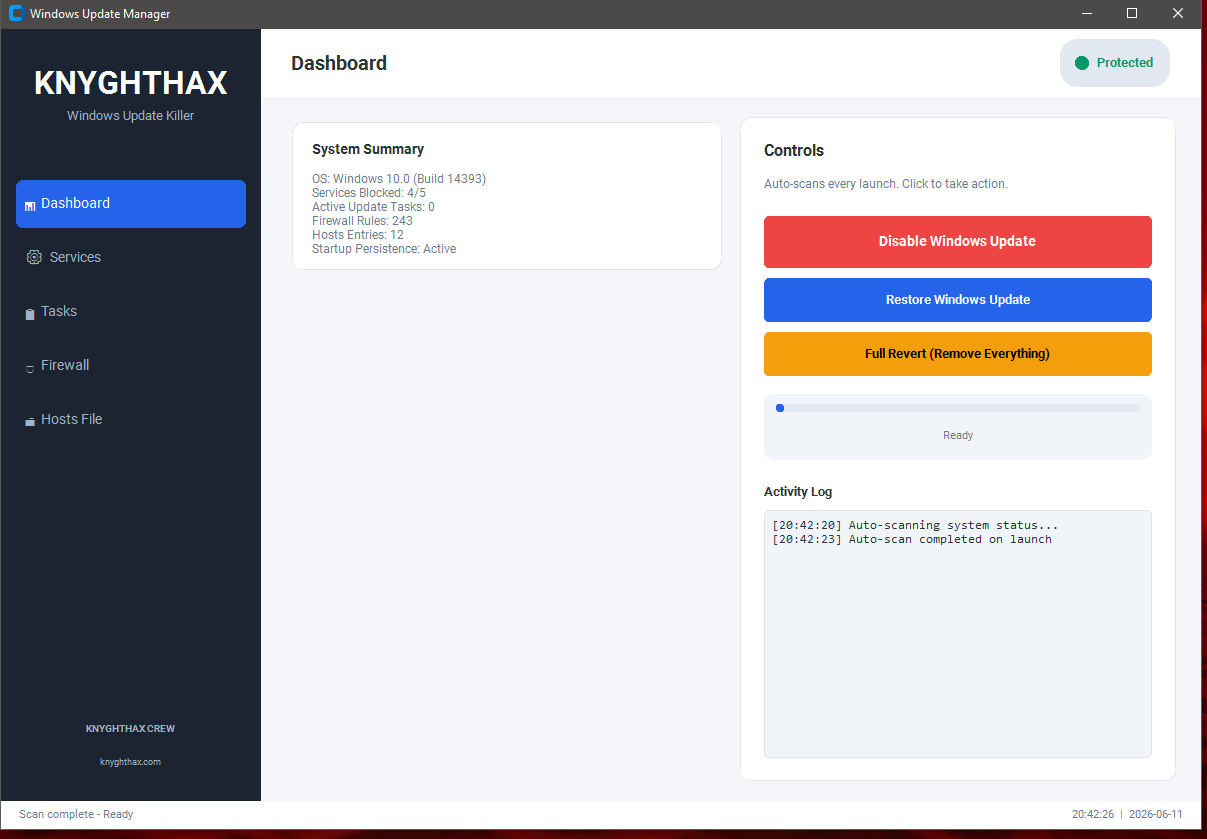
No command line. No editing files manually. Just a clean window with:
Dashboard: Shows every service status with colored indicators. Green means blocked. Red means active and needs attention. One look tells you if you're protected or not.
Services tab: Full list of update services, their current state, startup type. Refresh anytime.
Tasks tab: Every scheduled update task listed. Which ones are disabled, which are still active.
Firewall tab: All the outbound block rules WUK created. IP addresses, direction, whether they're enabled.
Hosts tab: Live view of your hosts file with a count of how many Microsoft domains are currently blocked.
Everything auto-scans when you launch it. You don't have to click anything to see your system status.
Three Buttons, No Confusion
"Disable Windows Update" Runs the full sequence. Services, tasks, firewall, hosts, registry, notifications, persistence. All of it. Takes about 5 seconds.
"Restore Windows Update" Puts things back to normal if you want updates again. Keeps WUK installed so you can re-block later.
"Full Revert" Removes everything WUK ever touched. Services re-enabled, firewall rules deleted, hosts file restored from backup, startup entries wiped, logs cleaned. Like it was never there. Delete the file and move on with life.
Things That Make Our WUK Better Than Other Tools
Most update blockers do one or two things. Stop a service. Flip a registry key. Maybe edit hosts. Microsoft patches around that stuff quick.
WUK does all of it at once. Eight layers deep. If one gets bypassed, six others still hold.
Actually disables the medic service so Microsoft can't auto-repair
Blocks real IP ranges in the firewall, not just domain names
Uses the same registry policies enterprises deploy through group policy
Backs up your hosts file before touching it always a way back
Stops the popup executable from running at all
Sets up persistence so reboots don't matter
Fully threaded UI never freezes during operations
Runs as admin automatically three fallback methods if the first fails
Who Should Use This
Anyone who wants to decide when their PC updates
People on metered or slow internet who can't afford background downloads
Gamers tired of mid-game performance drops and forced restarts
Anyone using their PC for critical work that can't be interrupted
Privacy-focused users who don't want Windows phoning home constantly
The Point
Your computer. Your rules. Microsoft doesn't get to decide when you update.
WUK gives you that control back. No accounts, no payments, no premium tiers. Just a tool that works.
Zip Pass 123